Back
to top

    ClickHelp API Documentation Tool

    Creating API documentation in the ClickHelp documentation tool is super easy and fast. It’ll help you upgrade the writing and maintenance processes, thus saving your time and effort. Your customers will get detailed technical information in an easy-to-understand format which will definitely increase your product adoption.

    Collaboration support

    Create a system of roles and permissions for team members to provide them with a convenient writing environment. Notifications will timely inform all stakeholders about updates and comments.

    Readable code samples

    Make your code samples readable by using a syntax highlighter and separate them from text blocks using a different background color.

    Swagger/OpenAPI Import

    Seamlessly integrate and manage user guides and API documentation in one platform, streamlining the process of documenting and sharing your APIs. Keep your documentation up-to-date and accessible to both developers and non-technical users.

    Customizable Reader UI

    Choose the way your reader UI should look depending on the special characteristics of your API documentation.

    Convenient navigation

    Help your customers find what they want in a matter of seconds with a wide range of navigation elements.

    Stylish design

    Create your own style for API documentation using special colors, fonts, and logos.

    See it in Action!

    Our Team will tell you how to improve your API documentation with ClickHelp. Book a demo with us!
    Request Demo

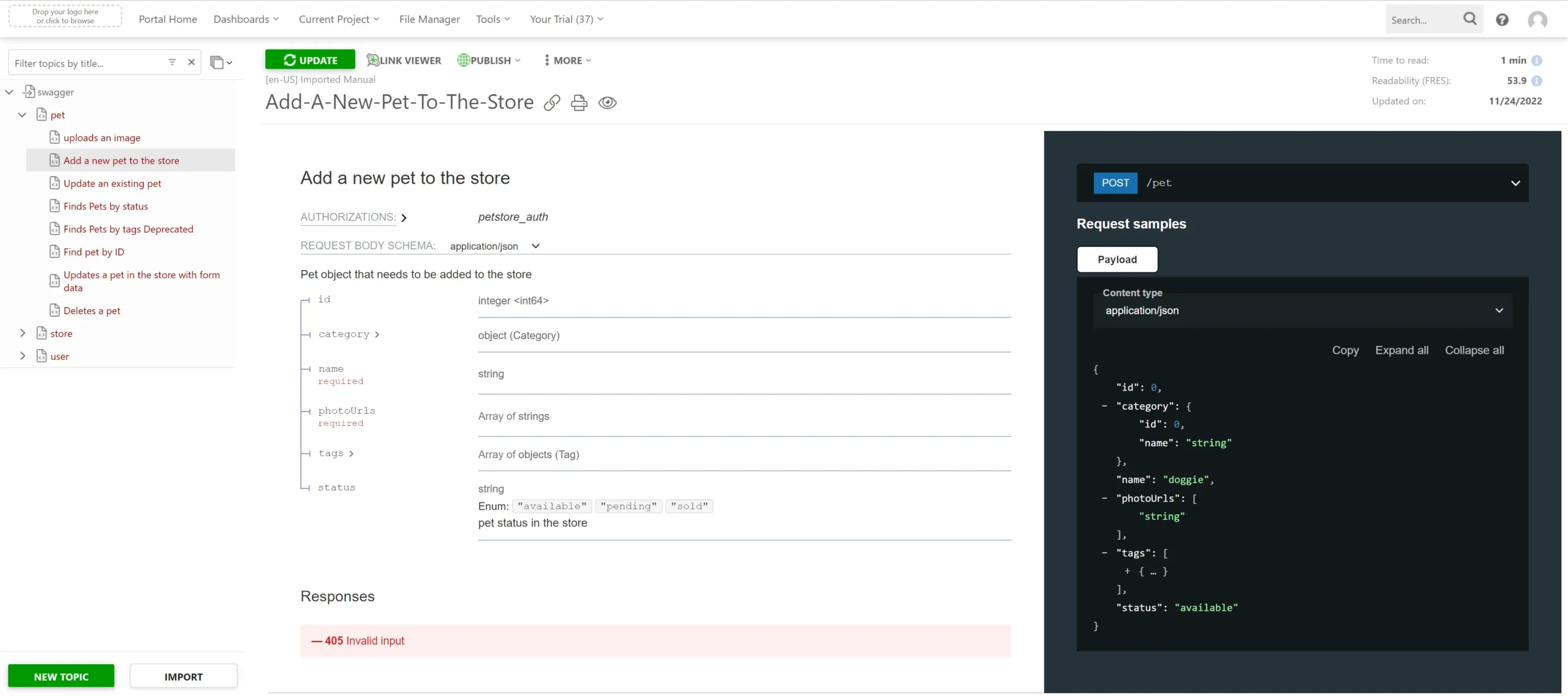
    Import From Swagger/OpenAPI

    • One platform for different types of content
    • Centralized search by all your docs
    • Auto-generated and updated topics
    Import From Swagger/OpenAPI, image 9 – ClickHelp Use Cases

    Why ClickHelp Is the Best Solution to Create API Documentation?

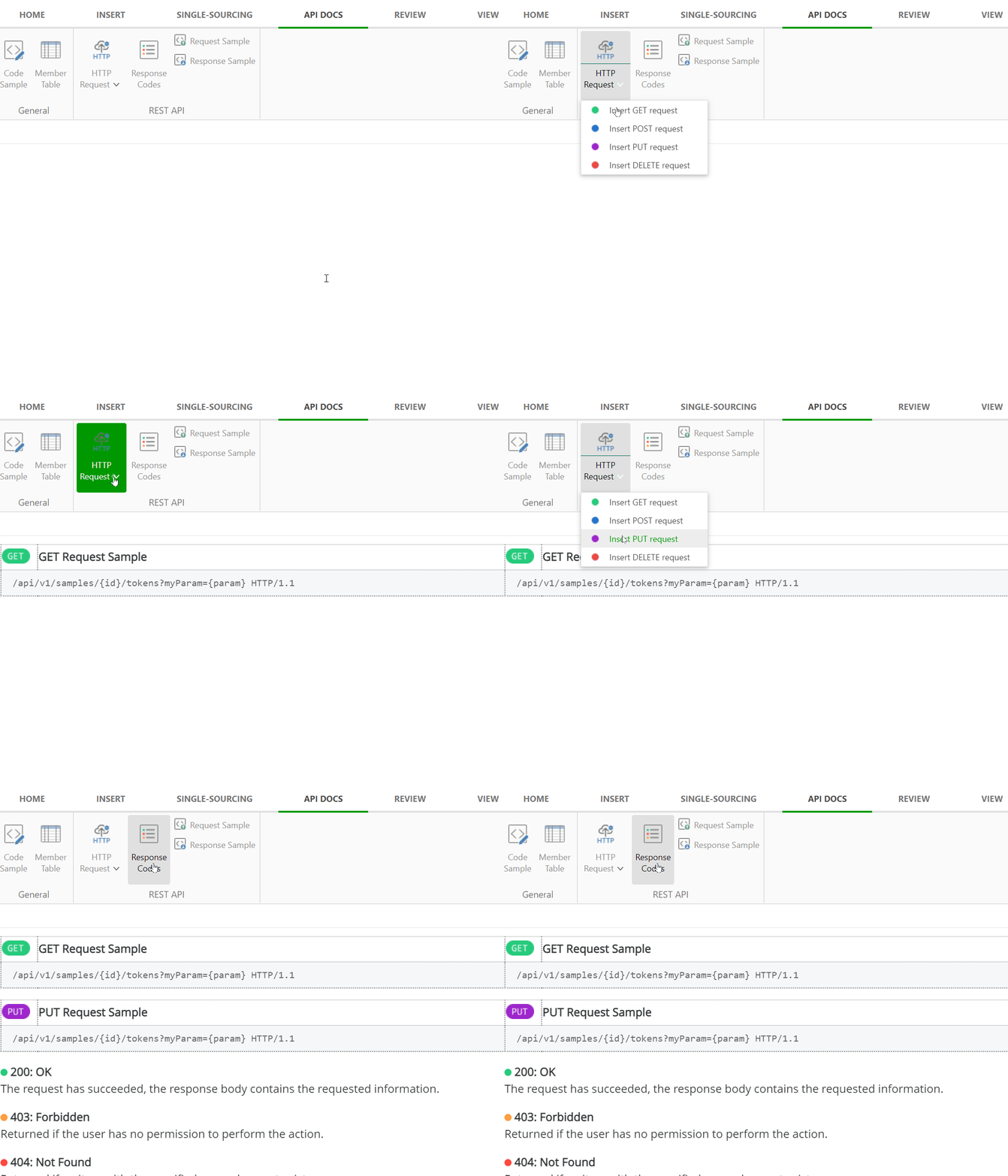
    Ready-made content blocks for API documentation

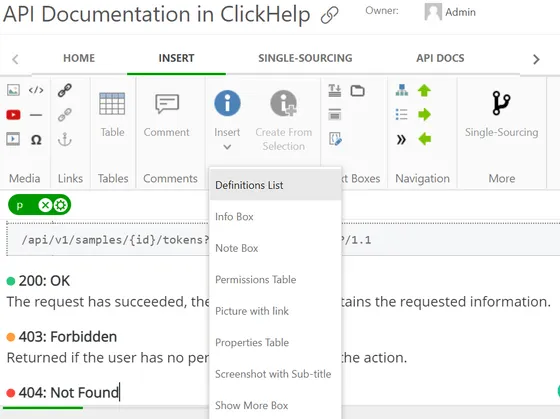
    A wide variety of ready-made blocks, such as response examples, definition tables, code samples, etc. will help you easily build a template for your API docs, which can boost the document creation process, making it quick and straightforward.

    Ready-made content blocks for API documentation, image 1 – ClickHelp Use Cases

    Easy and transparent review process

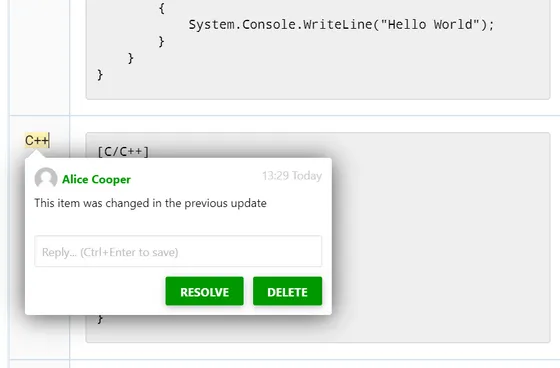
    The whole team can be involved in API documentation creation: technical writers, developers, reviewers, and other stakeholders. Review comments, topic status changes, and notifications will help all team members keep track of the latest updates. Review process will become enjoyable and simple.

    Easy and transparent review process, image 2 – ClickHelp Use Cases

    Create multi-language API documentation

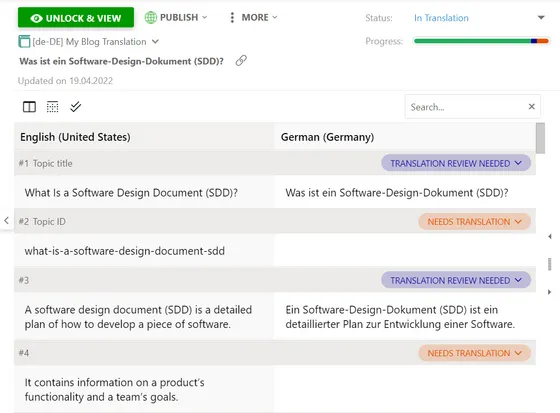
    Create and manage multi-language API documentation with the ClickHelp Translation Module. Translators will work in the same portal as other stakeholders. Using the Translation Editor is as easy as using a computer-assisted translation tool. The system of statuses and notifications will help you keep an eye on the project readiness and all the changes that take place.

    Create multi-language API documentation, image 3 – ClickHelp Use Cases

    See it in Action!

    Schedule a demo today and discover how ClickHelp can empower you to create exceptional API documentation
    Request Demo

    Best Practices for Creating API Documentation

    Increase the usability of API documentation

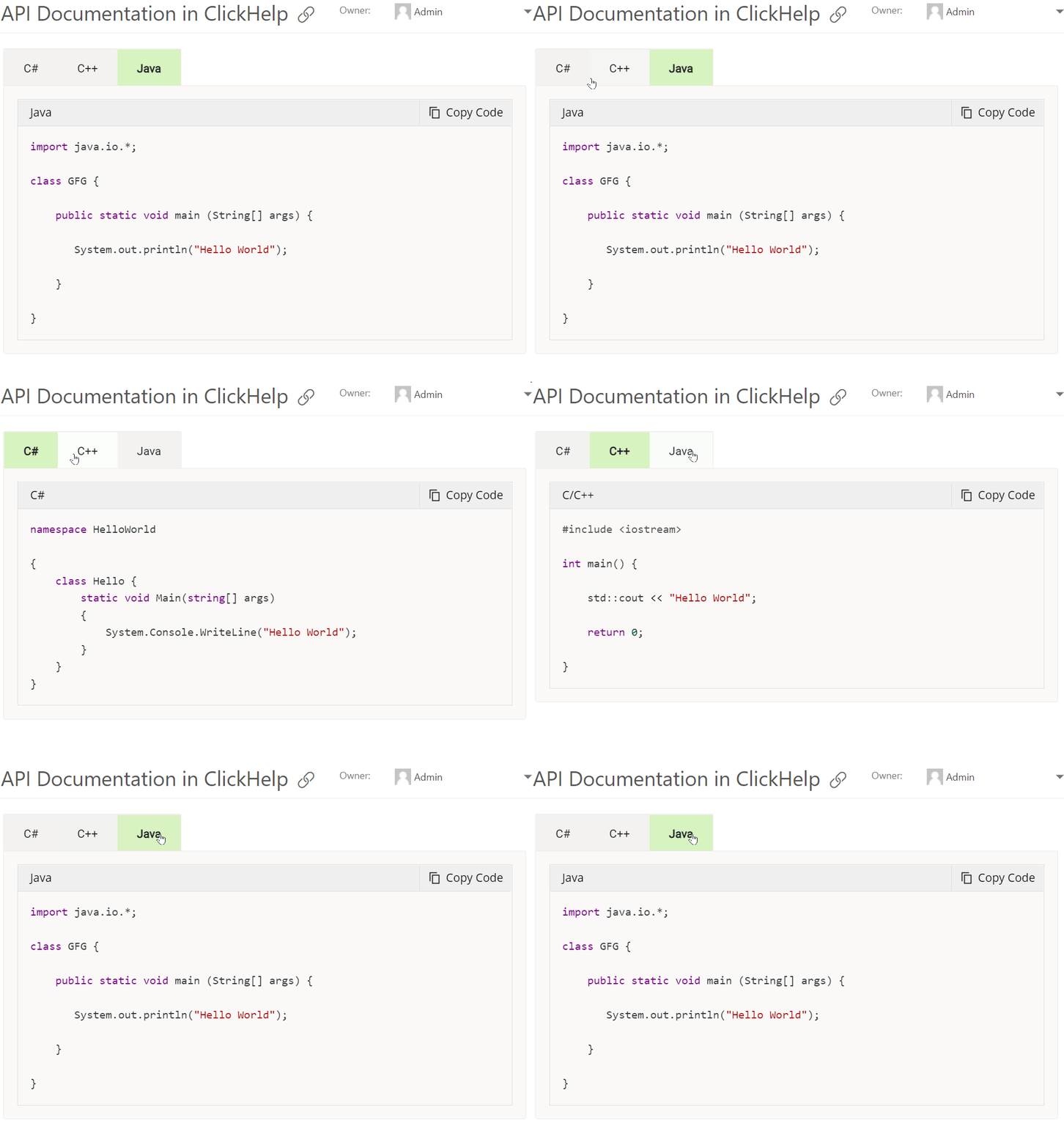
    Code samples are often the most wanted part of API documentation. Make them readable, visually separating them from text: use highlighting and special boxes to make them visible, use tabs to demonstrate different code samples simultaneously.

    Increase the usability of API documentation, image 4 – ClickHelp Use Cases

    Update API documentation regularly

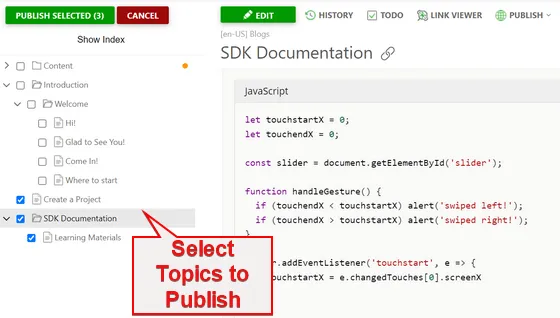
    API documentation maintenance and update will be quick and easy with ClickHelp. Single-sourcing and content reuse allow you to update several documents simultaneously. Apart from that, you can publish and republish separate topics, which is a convenient solution if not all topics in a project are ready for publishing or are to be updated later on.

    Update API documentation regularly, image 5 – ClickHelp Use Cases

    Standardize your documentation formatting

    When your API documentation is written by a team of tech writers, it’s important to follow strict standards. Use Quick Parts to insert 100% identical elements: table, boxes, pieces of text, etc. Use our ready-made collection of Quick Parts or create your own ones.

    Standardize your documentation formatting, image 6 – ClickHelp Use Cases

    Include tutorials, FAQs, and other learning materials

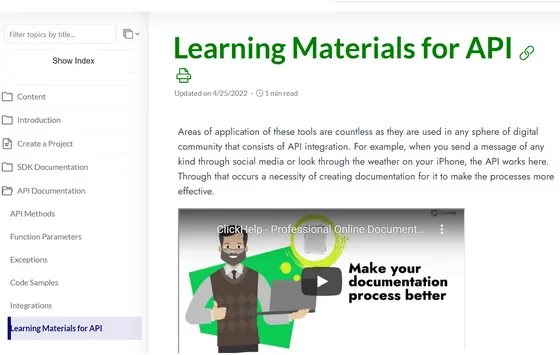
    API documentation is always highly efficient when it is user-friendly. Provide customers with additional learning materials such as tutorials or FAQs to increase product adoption. Even tech-savvy audience expects to see comprehensive instructions on how to use a product. Use cases, application examples, typical complexities – all that is a great helping hand for users.

    Include tutorials, FAQs, and other learning materials, image 7 – ClickHelp Use Cases

    Gather feedback

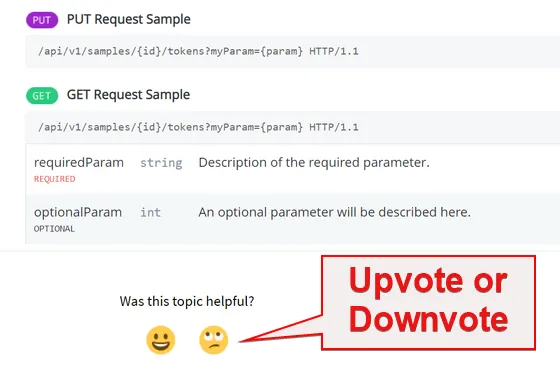
    API documentation is efficient if customers find it easy to understand and helpful. In the ClickHelp documentation portal, your customers will be able to upvote or downvote a topic to let you know if it is helpful or not. This simple option will help you find information gaps.

    Gather feedback, image 8 – ClickHelp Use Cases

    Markdown Import

    If your developers use Markdown to create content, they can provide technical writers with some documents in MD format, so tech writers can easily import them into projects. They will become HTML content that can be edited in ClickHelp.

    See it in Action!

    Learn how you can create API documentation with ClickHelp - book a demo.
    Request Demo