

Ever spent more time managing files than actually working on your documentation? You’re not alone. Whether it’s hunting down that one image buried somewhere deep in your folders or juggling dozens of assets for a release, file management can quickly become a productivity killer.
That’s why we rebuilt the file manager from the ground up — to support the way you work with content in ClickHelp: faster navigation, easier organization, and fewer clicks.
Whether you’re managing documentation assets, updating images, or organizing supporting files,this improved experience is designed to save you clicks and give you valuable time back.
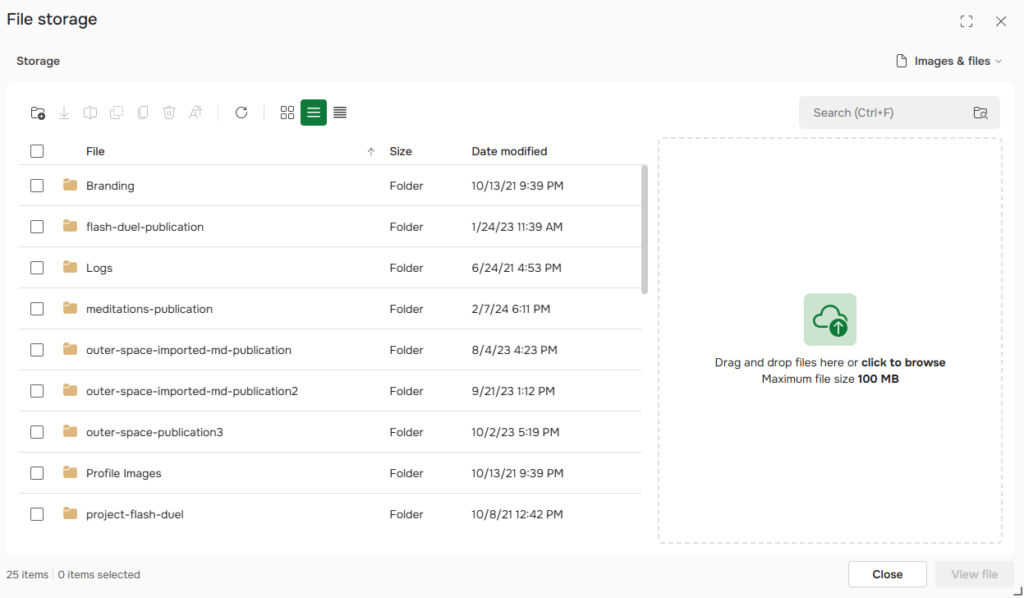
A Whole New File Manager Experience:
- Ever wasted 10 minutes trying to find that one image you know you uploaded — but can’t remember where?
Now you don’t have to.
The updated file manager lets you search across all folders — instantly surfacing results, no matter how deeply buried they are.
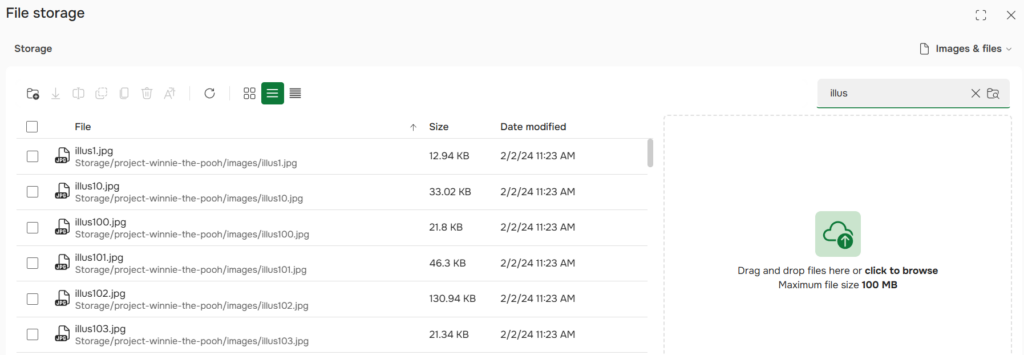
- Releasing a new product version and need to share assets with the team?
Instead of downloading each file one by one, just download the whole folder in one click. It’s perfect for collecting images, attachments, or documentation bundles for review or publishing.
- Not sure if a file is still in use somewhere?
Right-click and select “Where is this file used?” to see exactly where it appears in your projects — no need to leave the file manager or dig through topics manually.
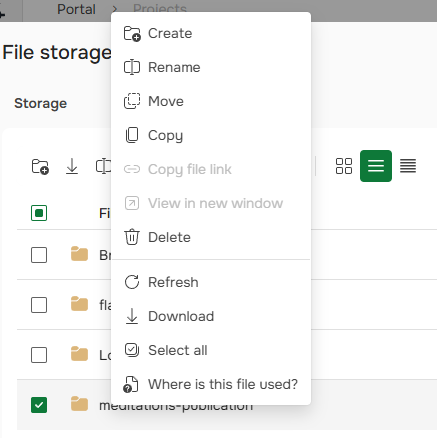
- Сopying or moving files is now faster and clearer. The updated interface is easy to navigate, with a clear folder hierarchy and fewer clicks to confirm your action.
- Managing large batches of files?
Now you can see exactly how many items are selected with a selection counter, and use Select All to handle hundreds of files in seconds — ideal for reorganizing image libraries or archiving legacy content.
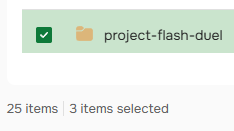
- We’ve also decluttered the workspace. Layout controls have moved to a collapsible panel on the right, giving you more space where it matters most: your content.
- We’ve added new keyboard shortcuts to speed up common actions like creating a folder, renaming an item, or copying selected files.
The new interface isn’t just about a fresh look — it’s designed for speed and efficiency. This update sets the stage for faster content delivery, improved performance in low-bandwidth conditions, and a smoother experience for teams handling large volumes of files.
It gives you everything you need to manage your content more quickly, with fewer clicks — and it’s available now.
Try it out and experience the new file manager in action.
Good luck with your technical writing!
Author, host and deliver documentation across platforms and devices.