You’re building something important: critical documentation that informs users, guides developers, or ensures compliance. Your team is collaborating, diligently crafting each section. Then the review phase arrives – and the familiar scenario unfolds: a master document in Word, a handful of reviewers, and a flurry of emails carrying attachments back and forth.
Before starting the review, you might try to estimate the time and cost involved. However, even an approximate calculation is often difficult. For example, reviewing 1,000 pages of contracts, proposals, or work orders could take anywhere from a few hours to several full workdays depending on content complexity, sensitivity, and duplication.
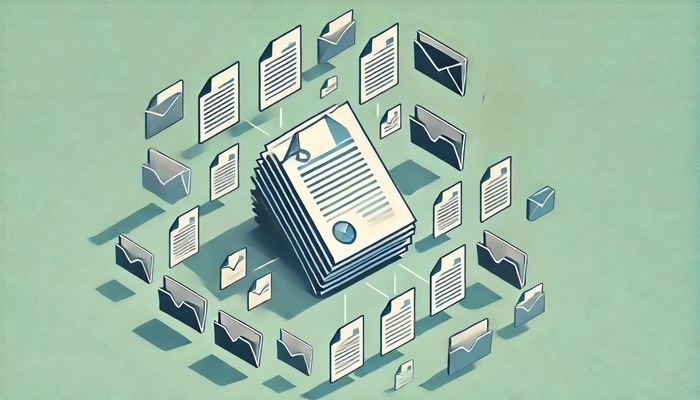
Consider another scenario: a team of three technical writers, developers, and subject matter experts working on 200 knowledge base topics. Each receives the document, makes edits in their own copy, and sends it back. Then comes the daunting task of consolidating, comparing, and reconciling all changes. Someone has to sift through every version, decide which edits to accept, and ensure nothing is lost.
The Real Cost of Manual Review
Even if your review process looks simple on paper, in practice it can be far more complex and costly. Consider a typical workflow:
- A document is drafted or updated with track changes.
- It’s sent to the first reviewer, then passed along to others sequentially.
- Each reviewer works on their own copy and returns it.
- Someone consolidates all edits manually.
- The final reviewer accepts changes, and the document is stored in the “approved” folder.
In this process, weak points quickly emerge:
- Uncertainty & Lack of Transparency: Who has reviewed the document? Who is still working on it? Which version is the latest? Maintaining visibility becomes a nightmare.
- Version Control Chaos: Multiple edits, conflicting versions, and the constant risk of overwriting someone else’s work.
- Lost Productivity & Collaboration Friction: Emails get lost, corrections are repeated, misunderstandings arise. Collaboration turns into a series of roadblocks.
- A Massive Time Sink: Spending 10 minutes per topic quickly adds up to 33+ hours for a single reviewer — not including follow-ups and reconciliation.
- Hidden Errors: Manual processes make it hard to spot mistakes that automated tools would catch.
Multiply this by your whole team and multiple projects, and the costs — in time, money, and morale — become significant. Teams often underestimate how much effort and frustration is hidden behind what seems like a “simple” review process.
This Problem Is Common — And Solvable
Most teams don’t realize better approaches exist. They may assume that “this is just how it’s done.” The good news: the problem is real, and solutions are available.
Possible Solutions
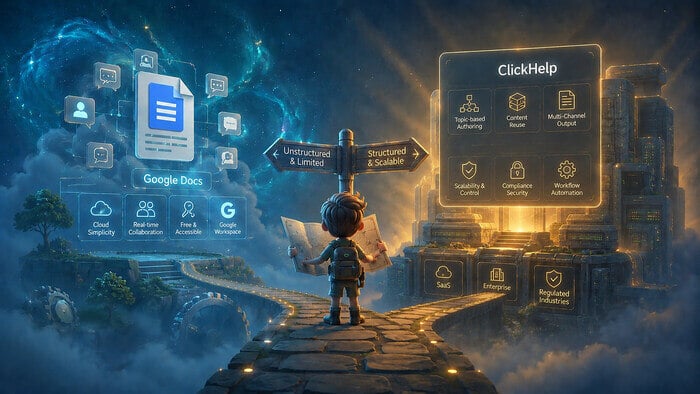
1. Cloud-based documents (Google Docs, Word Online):
Offer real-time collaboration and a single source of truth, reducing reliance on email attachments. However, they can become cumbersome with complex, structured documentation and often lack advanced version control and granular permissions.
2. Collaboration and wiki tools (Confluence, Notion):
Great for brainstorming and early drafts but usually lack focused review workflows, structured change tracking, and fine-grained control needed for large-scale documentation.
3. Professional documentation platforms (e.g., ClickHelp).
Designed specifically for technical documentation. These platforms provide:
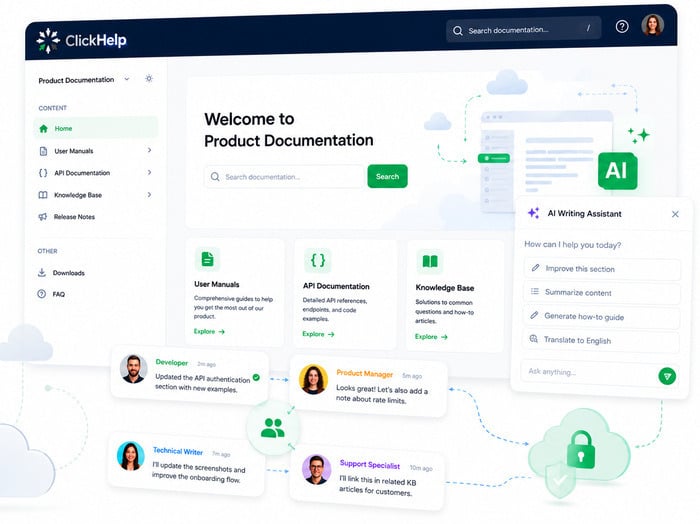
- Topic Status Tracking: Track progress at a glance with statuses like Draft, Under Review, Needs Revision, or Approved.
- Role-Based Permissions & Assigned Reviewers: Assign topics by expertise, control edits and approvals, and get automated notifications.
- Integrated Feedback: Inline comments, ToDo lists, and version history to capture and resolve all feedback.
- Real-Time Collaboration: Team members can work simultaneously on the same topic without conflicts.
- Advanced Change Tracking & Audit Trails: Know who changed what, when, and why, with full accountability.
- Content Reuse & Single-Sourcing: Reduce redundancy and maintain consistency across documents.

Additional Workflow Tips
Here’s what many organizations practice:
- Avoid relying on folder structures; instead, use metadata (e.g., HR001 for HR documents) to organize content.
- Add status columns like “Awaiting approval” or “Approved” to track progress.
- Use comment columns for notes without changing the document itself.
- Implement tracking changes directly within the tool used for documentation.
These strategies help reduce friction, though the optimal solution depends on your team’s specific needs.
Is It Time to Stop Wasting Time and Effort?
If your team struggles with manual document reviews, it’s time to acknowledge that the traditional approach isn’t working. Wasting time, creating frustration, and risking errors isn’t necessary.
Better approaches exist. Streamlining review processes improves collaboration, reduces mistakes, and frees your team to focus on content creation.
Professional platforms like ClickHelp provide a centralized hub where reviews happen in real time. You can track who is commenting, access detailed change histories, manage version control, assign reviewers, set deadlines, and monitor progress. No more endless email chains or version confusion — everything stays organized, accessible, and secure in a single platform.
Conclusion
Don’t let outdated processes hold your team back. Explore alternatives and discover how an efficient documentation review workflow can transform content creation, improve team productivity, and deliver higher-quality documentation.
Good luck with your technical writing!
Author, host and deliver documentation across platforms and devices
FAQ
Why is reviewing documentation in Word so time-consuming?
Manual review in Word often involves sending multiple copies via email, merging comments from different reviewers, and keeping track of versions. This creates confusion, wastes time, and increases the risk of errors.
What are the most common problems teams face with traditional review workflows?
Teams frequently struggle with:
– Lack of transparency — it’s hard to see who has reviewed what
– Version control chaos — multiple conflicting copies
– Lost productivity — emails and comments get missed
– Hidden errors — small mistakes can slip through unnoticed
Can cloud-based tools like Google Docs or Word Online help?
They improve collaboration compared to email attachments, but they may not scale well for large, structured documentation projects. They often lack advanced version control, granular permissions, and integrated review workflows.
How about wiki or project management tools like Confluence or Notion?
These are great for brainstorming, planning, and early drafts. However, they may lack focused review workflows, detailed change tracking, and controls needed for large-scale technical documentation.
What are professional documentation platforms, and how do they help?
Platforms like ClickHelp are built for structured documentation. They offer topic status tracking, assigned reviewers, inline comments, ToDo lists, real-time collaboration, and full version history. This helps teams streamline reviews, reduce errors, and save time.
How can my team start improving our review workflow right away?
Start by assessing your current process and identifying bottlenecks. Then explore solutions such as cloud editors, collaboration tools, or professional platforms. You can even try a free trial of ClickHelp to see how it streamlines review and collaboration in practice.