We’re rolling out improvements that make everyday work simpler: AnswerGenius now gives more complete answers in chat (and does it faster), the Reader UI aligns with WCAG 2.2 AA, the improved File Manager is built into the Topic Editor, imports from MadCap Flare bring index keywords, and WebHelp search in Japanese gets a small boost.
What’s in this release
- AnswerGenius: Higher answer rates in chat, quicker responses, language-aware replies, and support for meta-questions like “What can you do?” and “Who are you?”
- Accessibility: The Reader UI now aligns with WCAG 2.2 AA (previously 2.1 AA).
- Topic Editor: The improved File Manager now powers image insertion and asset picking directly in the editor.
- MadCap Flare migration: Import now includes index keywords, reducing manual rework.
- WebHelp (Japanese): Slight relevance improvements for Japanese search.
AnswerGenius: more complete answers, faster replies, in your reader’s language
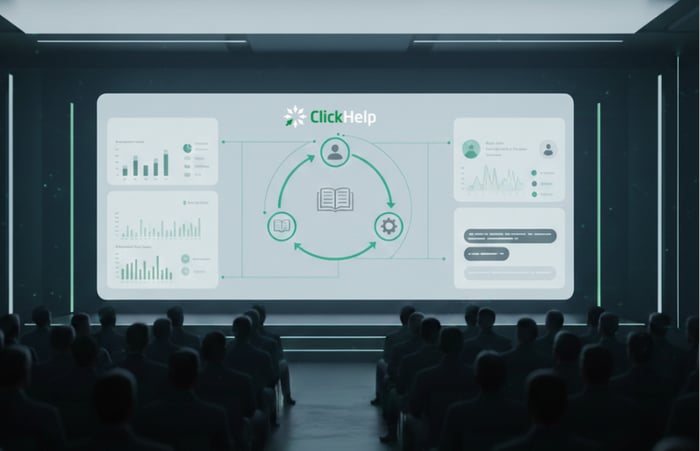
We put serious work into AnswerGenius—both its logic and its speed—and the results held up in testing. To validate, we used 200 difficult, real questions from our docs portal. In this run, the bot produced a content-grounded answer in more than 95% of cases and replied faster than before. A manual review found the answers high quality and, in many cases, more complete and actionable than earlier iterations. We’re proud of this step forward and glad to put it in your hands; keep the feedback coming so we can keep improving.
AnswerGenius now follows the language of the question—ask in German, get an answer in German—even if your portal content is in another language. This helps readers stay in flow without switching context or translating text. For teams in regulated or terminology-heavy domains, pair this with our Translation Ecosystem add-on to maintain localized source content; AnswerGenius will ground its replies in those localized docs while continuing to answer in the reader’s language.
During our review of chat transcripts, we saw that some readers weren’t asking about the docs at all—they were asking about the bot itself. We updated AnswerGenius to handle meta-questions like “What can you do?” and “Who are you?” so readers can quickly understand capabilities and boundaries before they dive into task-specific queries.

Reader UI accessibility: WCAG 2.2 AA alignment
The Reader UI now aligns with WCAG 2.2 AA. This continues our work on accessible reading experiences and supports requirements common in public sector, education, and enterprise environments.
Topic Editor: the improved File Manager, now where you insert images
The rebuilt File Manager we introduced earlier is now available inside the Topic Editor—bringing the same fast, consistent experience to image insertion and asset cleanup. Highlights:
- Search across folders to locate assets instantly.
- Bulk select and move/copy (with a clear selection counter) for high-volume updates.
- “Where is this file used?” to check references before edits or cleanup.
- One-click folder downloads for sharing or release packaging.
- Keyboard shortcuts and a streamlined layout to speed routine work.
Migration from MadCap Flare: index keywords now come along
We continue to see teams moving from desktop tools to cloud platforms, and many of them migrate projects from MadCap Flare to ClickHelp. Direct Flare import has been available for a while; with this release, index keywords are imported with your content, so you don’t have to recreate them by hand after the move. This preserves navigation signals and saves time during consolidation.
WebHelp (Japanese): small relevance improvements
Search relevance for Japanese in WebHelp received a small, incremental improvement. It’s a quality-of-life update to reduce friction for readers; it does not represent full Japanese support across the stack.
Why this matters in practice
- AnswerGenius for readers and support: More complete, faster answers in the reader’s language help resolve routine questions and decrease support handoffs.
- Reader UI for accessibility owners: WCAG 2.2 AA alignment supports organizational accessibility commitments and consistent reading behavior.
- Topic Editor for writers: Having the improved File Manager directly in the editor speeds common tasks—finding assets, checking usage before changes, organizing at scale.
- Migration for doc ops: Bringing Flare index keywords preserves how users navigate your content after the move, with less manual rework.
Ready to experience the difference? Request a Free Trial.
Good luck with your technical writing!
Author, host and deliver documentation across platforms and devices.