Back
to top

    Smarter Documentation with ClickHelp AI Suite

    AI tools that help your team write faster, support readers better, and scale documentation with confidence.

    Meet ClickHelp AI Tools

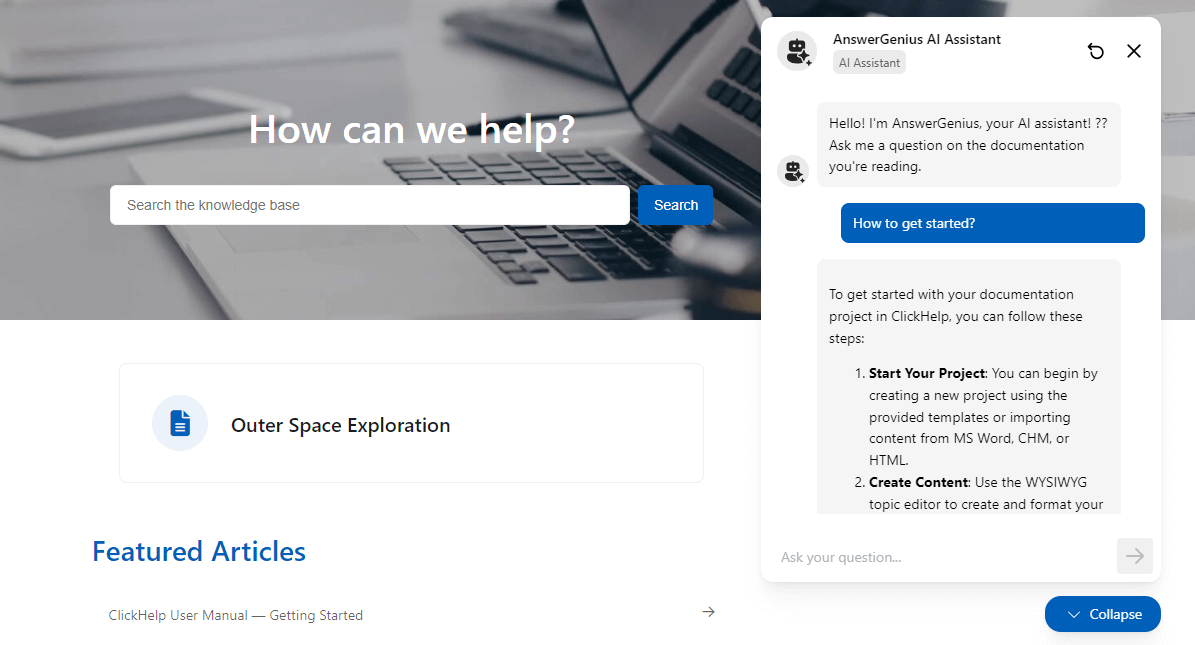
    AnswerGenius — Instant Answers for Readers

    An embedded AI chatbot that understands user questions and delivers natural, accurate answers based on your documentation.

    • Reduces support load

    • Improves user experience

    • Helps users on mobile and in-product portals

    AnswerGenius — Instant Answers for Readers

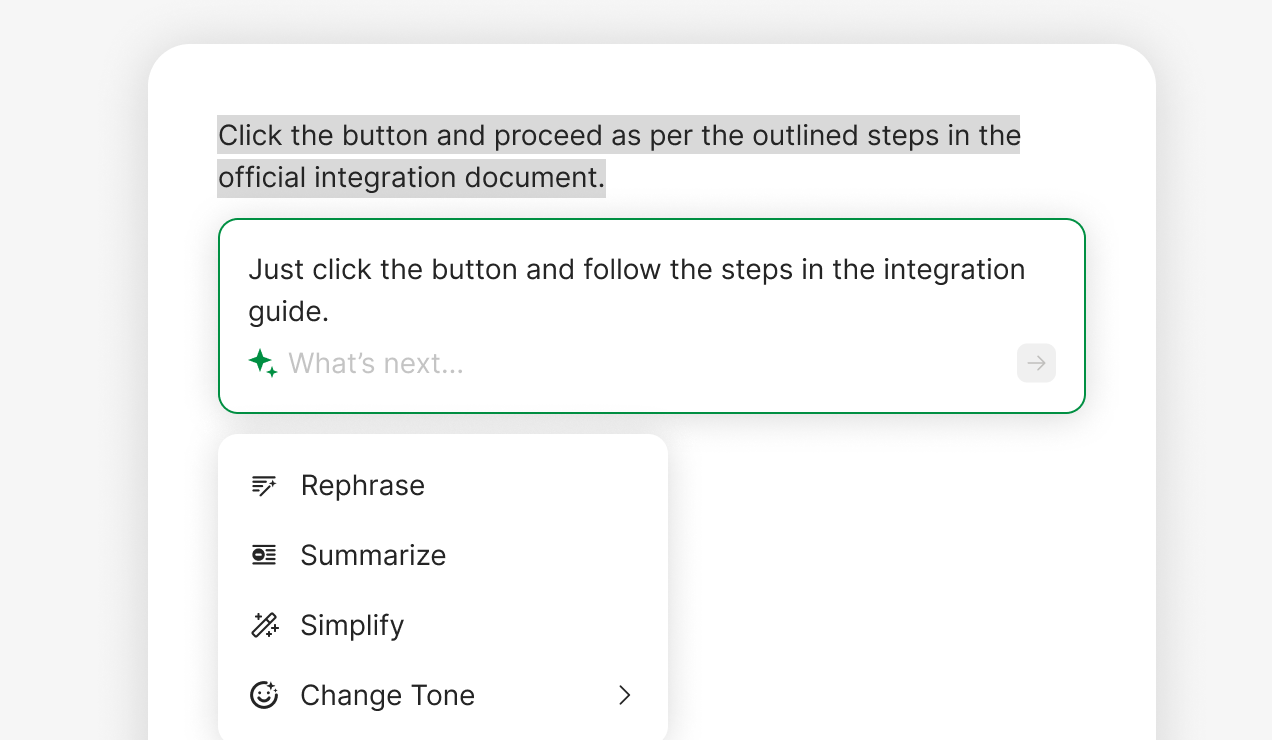
    WriteAssist — AI Companion for Contributors, One Click Away

    A built-in assistant in the ClickHelp editor that helps you create and refine content faster.

    Quick actions include:

    • Rephrase

    • Summarize

    • Simplify

    • Change Tone

    • Translate

    • Custom Prompts

    WriteAssist — AI Companion for Contributors, One Click Away

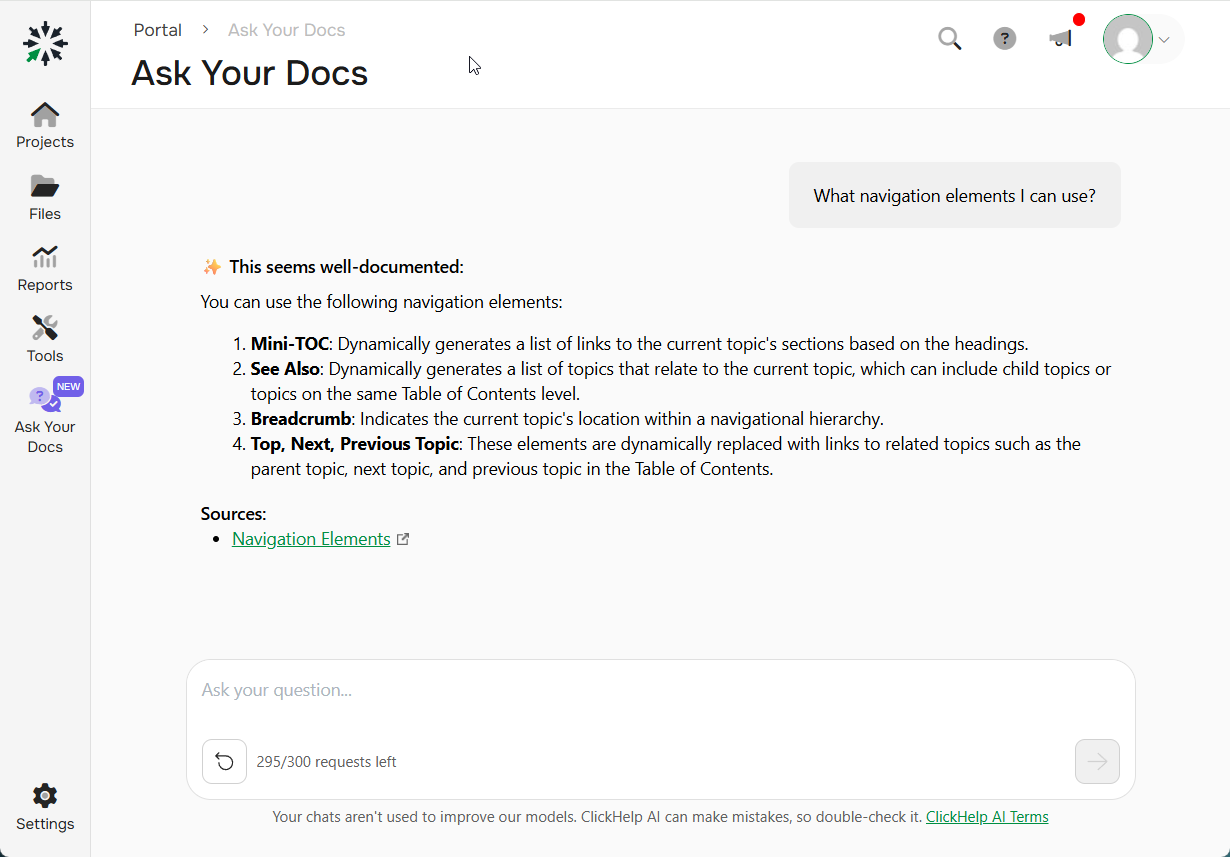
    Ask Your Docs (Beta)*

    A new assistant that helps authors find answers across all content — even drafts and unpublished topics.

    • Ideal for finding duplicates and reusing content

    • Saves time on internal knowledge discovery

    • Works out of the box, no setup required

    * Currently in beta with daily usage limits.

    Ask Your Docs

    «Keep your documentation well-organized and easy to navigate, ensuring up-to-date information and reducing the chance of errors. Improve usability for your team and users.»

     Forest software company

    Book a Live Demo

    • Interactive product demo
    • Questions answered real-time
    • Expert advice for your use case
    Request Demo

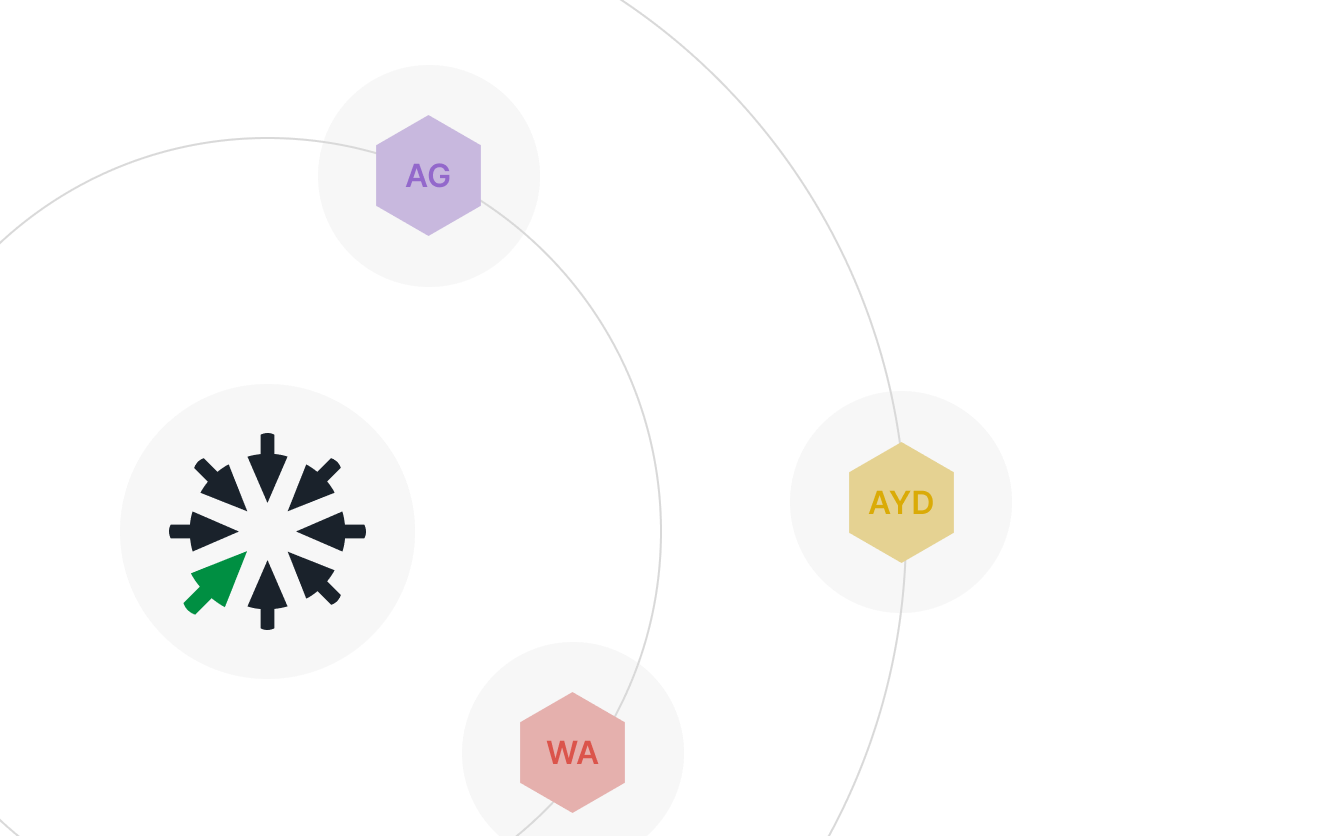
    ClickHelp AI Suite: A Unified Strategy

    ClickHelp AI Suite brings these tools together under one vision: AI that is practical, scalable, and transparent.

    Unlike “AI gimmicks”, AI Suite is designed to improve real-world documentation workflows — from writing to support.

    ClickHelp AI Suite: A Unified Strategy

    Transparent Usage with CAPs

    ClickHelp AI Points (CAPs) make AI usage simple and predictable:

    • One system for all AI tools

    • Clear cost per operation (e.g., 1 AnswerGenius request = 10 CAPs)

    • 30,000 CAPs/month included by default

    • Easy to scale with your team

    No tokens. No hidden math. Just predictable AI usage.

    Transparent Usage with CAPs
    Beyond the portal

    [v1] Bring ClickHelp to your AI workflow

    ClickHelp ships an Authoring MCP Server that connects your portal to AI agents in Claude, Cursor, ChatGPT, and other tools that speak the Model Context Protocol.

    Your team works with documentation where they already are — no extra UI to learn, no copy-paste between windows.

    Always within the current user's portal permissions
    Product managersDraft topics straight from specs and PRDs in Claude.
    R&D engineersUpdate docs right next to the code, inside Cursor or your IDE.
    SupportPull accurate snippets to compose answers to customer tickets.

    Authoring MCP Server is a separate capability, included in the API & Automation add-on — not part of the AI Suite.

    Authoring MCP Server

    [v2] Works with the AI tools your team already uses

    ClickHelp's Authoring MCP Server connects your portal to Claude, Cursor, ChatGPT, and other MCP-aware AI agents — so each team can work with documentation in the tool that fits them best, always within their current portal permissions.

    Product managers
    Draft topics from specs and PRDs
    Turn a feature brief in Claude into a structured first draft inside your portal.
    R&D engineers
    Update docs next to the code
    Edit topics from Cursor or your IDE in the same flow as a pull request.
    Support
    Compose grounded answers to tickets
    Pull accurate snippets from the portal straight into a reply, with sources.

    Authoring MCP Server is a separate capability, included in the API & Automation add-on — not part of the AI Suite.

    Authoring MCP Server

    [v3] Plug ClickHelp into the AI tools your team already uses

    The Authoring MCP Server connects your ClickHelp portal to AI agents that speak the Model Context Protocol — so docs work happens where the work already happens, not in a separate tab.

    ClaudeCursorChatGPTYour IDE
    Always within the current user's portal permissions
    PMDraft topics from specs and PRDs inside Claude.
    R&DUpdate documentation right next to the code in Cursor.
    SupportCompose grounded answers to tickets from real portal content.

    Try ClickHelp AI features in action!

    Write faster. Support smarter. Scale with AI.
    Try for Free
    Ask AI about ClickHelp
    ChatGPT ChatGPT Claude Gemini Grok Perplexity