New block editor, improved loading times, and various user experience changes!
Posted in ClickHelp What's New on 12/12/2024
Posted in ClickHelp What's New on 10/18/2024
Posted in ClickHelp What's New on 9/16/2024
Here’s what’s new in our latest update.
Posted in ClickHelp What's New on 8/15/2024
The summer has begun, and with it comes the latest update for ClickHelp.
Posted in ClickHelp What's New on 6/17/2024
Here’s what’s new in ClickHelp in May of 2024.
Posted in ClickHelp What's New on 5/8/2024
Here’s the ClickHelp changelog from March 16, 2024.
Posted in ClickHelp What's New on 3/18/2024
ClickHelp consistently maintains its position as the foremost user-friendly help authoring tool. The Amber update brings forth numerous enhancements and adjustments, collectively rendering it an even more efficient tool to meet your documentation needs.
Posted in ClickHelp What's New on 12/12/2023
Our Blossom release signifies a new era for ClickHelp. We’re transforming the Contributor experience, starting with the navigation and Author UI. Plus, we’ve added Markdown and Author-it import support, improved UX for Export, PDF Import, and Topic Editor, and made various smaller changes.
Posted in ClickHelp What's New on 4/27/2023
The Wave release brings refreshing changes and additions to ClickHelp: Swagger/OpenAPI import functionality, extended ClickHelp API, ability to export and import ClickHelp project backups, convenient Reader Preview for authors, enhanced Tables functionality, and numerous improvements across the board.
Posted in ClickHelp What's New on 11/28/2022
In the Echo update, we improve translation management functions, the topic editor, the whole publishing process, and much more. You will see full-text-search, machine translation support, and much more. Keep reading to learn all the details.
Posted in ClickHelp What's New on 7/6/2022
ClickHelp Rainbow update is devoted to translation management. We’ve added the Translation Module: a new translation project type, Translator Dashboard with a number of filters, a professional translation editor. This makes documentation localization smoother – create multilanguage documentation sites easier with ClickHelp Rainbow!
Posted in ClickHelp What's New on 6/24/2021
ClickHelp Gecko brings in improvements in many product areas: more flexible permissions, better tables editing, new reader UI templates, better performance, and more.
Posted in ClickHelp What's New on 7/21/2020
This ClickHelp Oasis Update introduces significant improvements to such product functions like topic editing, branding, accessibility, Global Find and Replace, reporting, and security. We have also improved the performance and usability of the product to ensure better user experience for documentation authors. Check the list below to learn more about the changes we have made in ClickHelp Oasis.
Posted in ClickHelp What's New on 12/19/2019

In the Aurora Polaris update, we improve the topics review functions, the Table of Contents panel, the whole publishing process, and much more. You will see several new reports and 30+ topic metrics, including readability metrics. You will also experience better performance, improved UX, and easier topic publishing flow. Keep reading to learn all the details.
Posted in ClickHelp What's New on 3/21/2019

In this update, we introduce a new Team Review process with a special Reviewer role. You can now easily give read-only access to your colleagues so they can add review comments, change topic status, reassign the topics, add ToDo items. The Reviewer users cannot directly modify the topic content.
To help teams manage their documentation projects, we have added a new Report Center that provides valuable information on key metrics: project readiness charts, author contribution stats in words and topics created, stats on topic views made by your readers, the list of search queries your readers perform including the number of results they get and how many clicks they perform.
To further improve user experience, we re-worked the Projects page of the Auhtor UI to make it more functional and useful. Meet the new Portal Dashboard page! Keep reading to learn more on other great features we’ve added.
Posted in ClickHelp What's New on 2/5/2018

We’ve added some nice features and performance improvements in this minor update.
Posted in ClickHelp What's New on 4/25/2017

In this update, we have made major usability improvements in many areas of ClickHelp user interface, making it easier to use. New portal branding settings allow you to change the UI for readers and Power Reader users without having to use the branding CSS. We have extended the API to provide new functions for advanced integration techniques. You will also notice the performance improvements we’ve made in a number of application areas. Keep reading to learn more details on the changes!
Posted in ClickHelp What's New on 2/11/2017
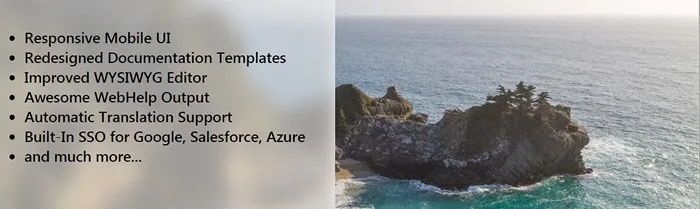
Starting with this update, you can easily create mobile-friendly responsive documentation without extra efforts. We are also adding translationg support, professional documentation templates, improved SSO support and much more.
Posted in ClickHelp What's New on 6/21/2016
This update brings many usability improvements of the WYSIWYG editor, Review Notes list, and the general ClickHelp UI. We have improved the MS Word Import functionality to handle the source formatting better. The printed output generation now handles images and tables smarter. Keep reading to learn more about the improvements in this release!
Posted in ClickHelp What's New on 10/31/2015
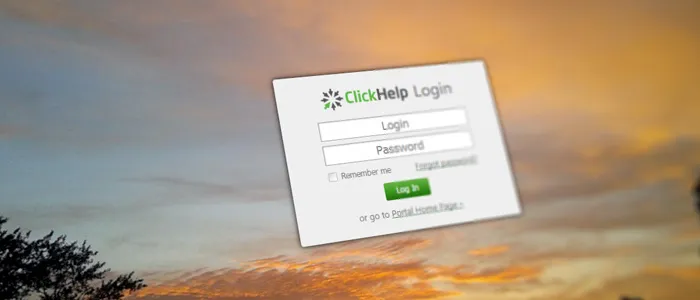
Content migration becomes easier with MS Word & HTML Import, the teamwork is better with Topic Versioning, you can now use SSO to login, and there are even more improvements!
Posted in ClickHelp What's New on 6/30/2015
This ClickHelp update adds Web Help output support with Index and Search functions, nice improvements of the Restricted Access functionality, REST API with user and project management functions, SSL support for custom domains, and much more!
Posted in ClickHelp What's New on 3/27/2015
This ClickHelp Update introduces significant improvements into such product functions like teamwork and workflow, topic editing, documentation portal search, Restricted Access, and Context Help. We have also improved the performance and usability of the product to ensure better user experience for documentation authors. Check the list below to learn more about the changes we have made.
Posted in ClickHelp What's New on 1/15/2015
Online documentation portals must look nice! With this release, we are giving more functionality to brand your portal, making it look much better. We have also changed the topic URL format to make it easier for technical writers to create documentation links. A number of other functions were improved to make them easier and more convenient to use!
Posted in ClickHelp What's New on 10/14/2014
To provide technical writers with better authoring experience, this ClickHelp release introduces many improvements in the WYSIWYG topic editor. Now you can insert ready elements to your content easier – videos from YouTube and Vimeo, nice information boxes, content snippets, conditional blocks, and more! The help topic editor now includes a spell checker that supports 7 languages.
Posted in ClickHelp What's New on 7/2/2014
In our March update, ClickHelp has got an updated Projects page. We have made this page responsive, more valuable, and looking much better. This release also includes the new statistics functionality to assist documentation authoring teams with their documentation project planning and analysis. The Disqus commenting service integration is helping you improve the content engagement.
Posted in ClickHelp What's New on 3/3/2014
This update of ClickHelp adds many new functions related to documentation export, and user management. Now you can export documentation in a number of formats! Continue reading to learn more. All existing users get this update for free, and fully automatically – feel free to check the new functionality in your existing ClickHelp servers.
Posted in ClickHelp What's New on 11/1/2013
With this release, we are introducing content snippets support, additional teamwork functions, and more.
Posted in ClickHelp What's New on 7/18/2013
In this release of our documentation tool, we are adding support for conditional content in the article body. With this feature, you can use a single source to produce multiple outputs. With the new Publish Configurations functionality, you can select which articles to include to a publication, override project variables values, and vary CSS styles. With these possibilities, you can fine-tune the final output as needed, and produce several online manuals from the same source.
Posted in ClickHelp What's New on 6/14/2013
Take a look at those ready-to-use project templates for online manuals! They are created by our designer to help you save your time doing this. Use them “as is” or modify the graphics and CSS styles!
Posted in ClickHelp What's New on 4/17/2013
Starting with this release, you can use your own domain name for your ClickHelp Documentation Portal. We have also added Google Analytics support, so you can easily get a plenty of stats about your readers.
Posted in ClickHelp What's New on 2/13/2013
In this ClickHelp release, we are adding the Restricted Access functionality, so you can give access to to some documents only to registered readers.
Posted in ClickHelp What's New on 12/25/2012
Starting with this release, you can use the HTTPS protocol for higher safety when creating technical documentation. Strong SSL encryption protects the traffic, so third-parties cannot read it even if they intercept it.
Posted in ClickHelp What's New on 10/22/2012
 Features OverviewFeature-rich cloud platform for your technical writing needs.
 User Guides and ManualsCreate professional user guides and software manuals.

